Image Credit: Pixabay Images
With the craze for Cryptocurrencies lately, wouldn’t it be nice to have a piece of that for FREE? Yes, FREE! Not convinced? Read on and judge for yourself.
Disclaimer: This is not about investment advice on Cryptocurrencies but rather on earning Free Cryptocurrencies.
To begin with, you will need an account in Uphold (Please note that the link is not a referral link, so I do not benefit in any way with your sign up). Uphold is a Cryptocurrency wallet for your Cryptocurrency transactions, similar to other crypto-wallets like eToro, Robinhood, Coinbase, Coinhako etc. The reason for signing up with Uphold is because the sites that gives out Free Cryptocurrencies is tied with Uphold.
Below are the two sites from where you can get the free Cryptos.
1. Brave Browser
2. Block Reward
1. Brave Browser
The Brave Browser is gaining popularity and seems to rival Chrome because of its cryptocurrency-powered, privacy-focused Internet browser with many switching over to Brave . If you are not familiar with Brave Browser, you may like to read some articles related to Brave: Why I chose Brave as my Chrome browser replacement, The Brave browser basics: what it does, how it differs from rivals and Why Brave? to help you understand the browser better before moving over. For academic purpose, you may like to read their white paper and on Brave rewards.
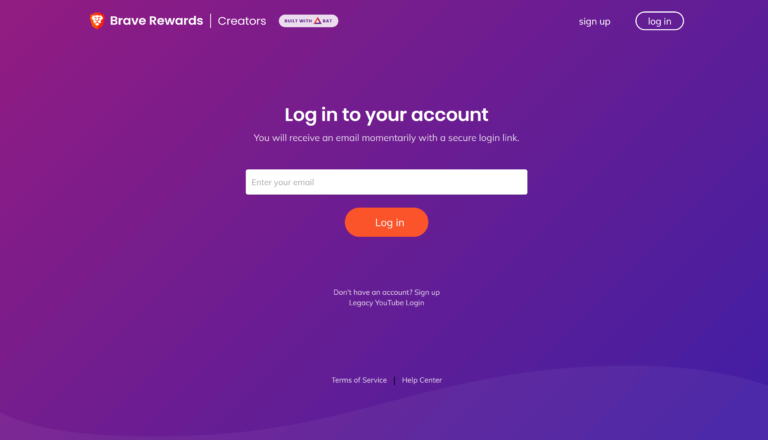
You can download and sign up for Brave Browser with your email. A link will be send to your email from which you access your account. Next time you login, it will be the same procedure without the need of a password. Below is a screenshot of the login (No option for password).
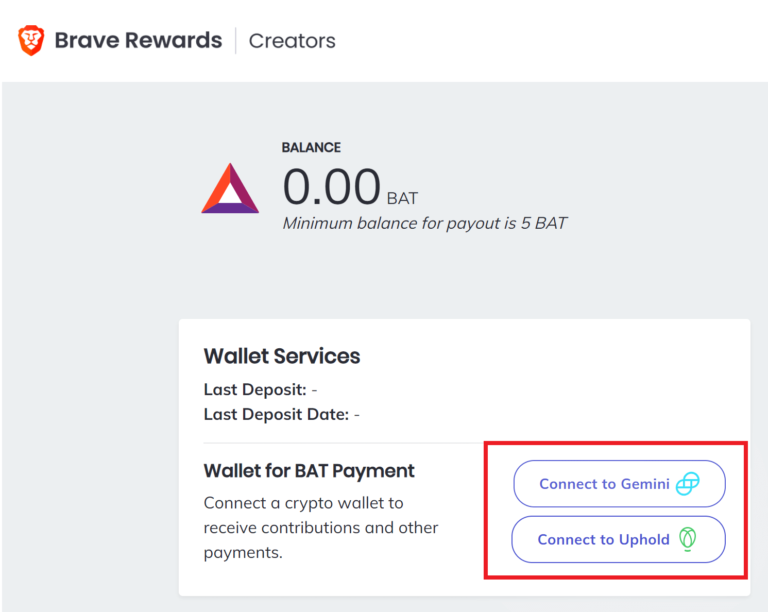
Under the Brave account, there are two Crypto Wallets (below left in red rectangle) that you can connect to: Gemini and Uphold. Since I use Uphold, this page will be related to Uphold only. After choosing the option for Uphold, you will be taken to the Uphold page and authorize by logging in to your Uphold account (below right).
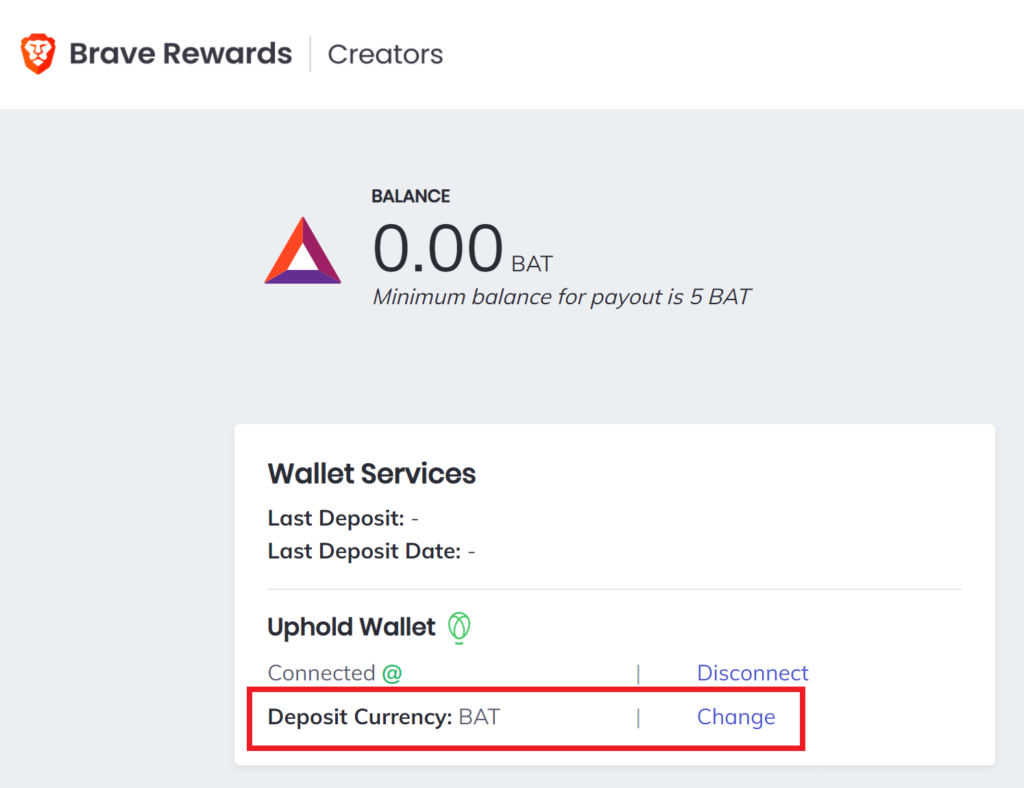
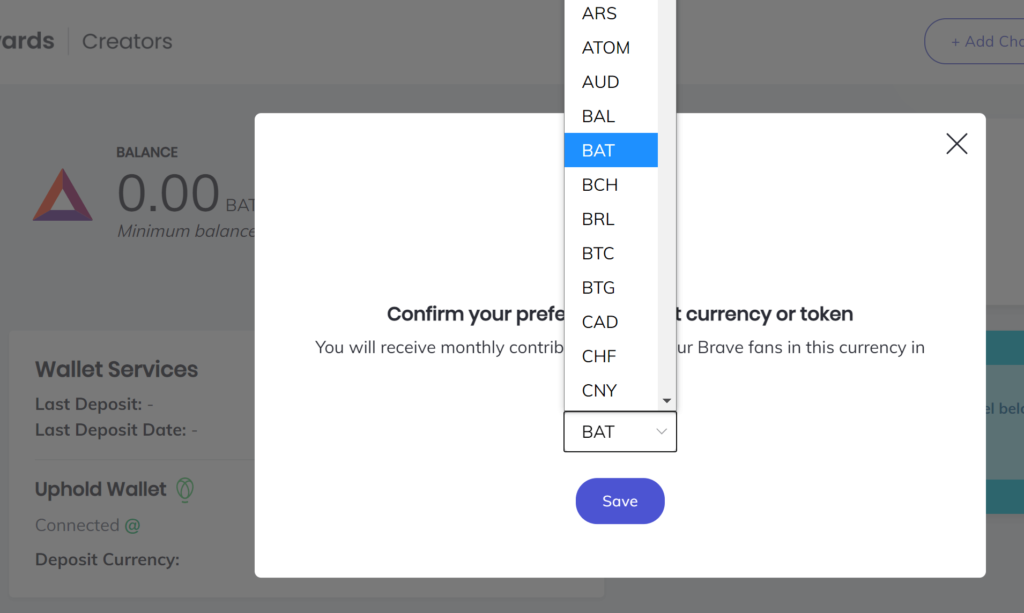
Once connected, the Brave page will show information of Upload Wallet. By default, the currency is BAT (below left in red rectangle) but you have the option to change that to your preferred cryptocurrency (below right).
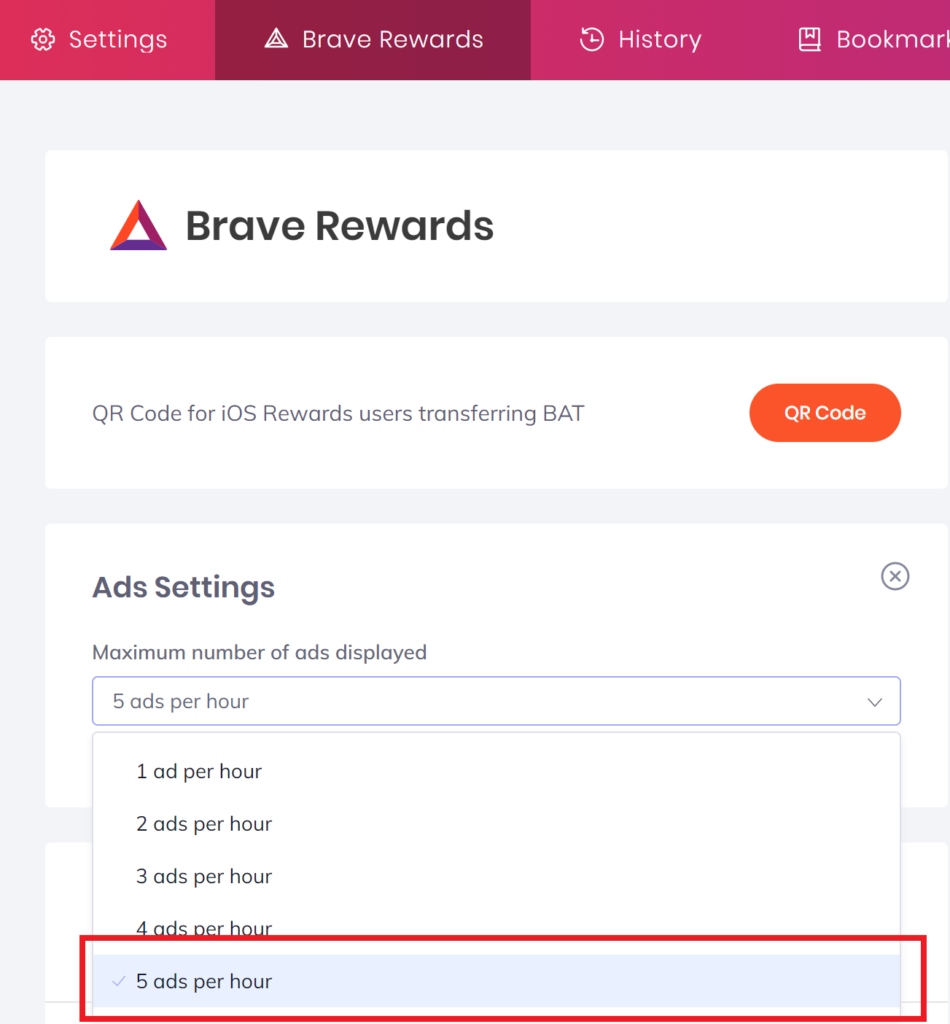
Additionally, you can set up the number of ads that show up while you use the Brave Browser under Ads Settings (use ‘brave://rewards/‘ on the address bar, without the quote). I have set mine to 5 ads per hour (maximum). The earnings depend on your usage of the Brave Browser and the ads it shows.
With that you are all set and browse the Internet as normal. All you will see is a small pop-up (mostly Cryto related notification – There is No need to view the ads. Users are rewarded for viewing ad notifications as they appear in Brave). The accumulated coins (in my case, BAT) will be transferred to your authorised Uphold account on a monthly basis automatically.
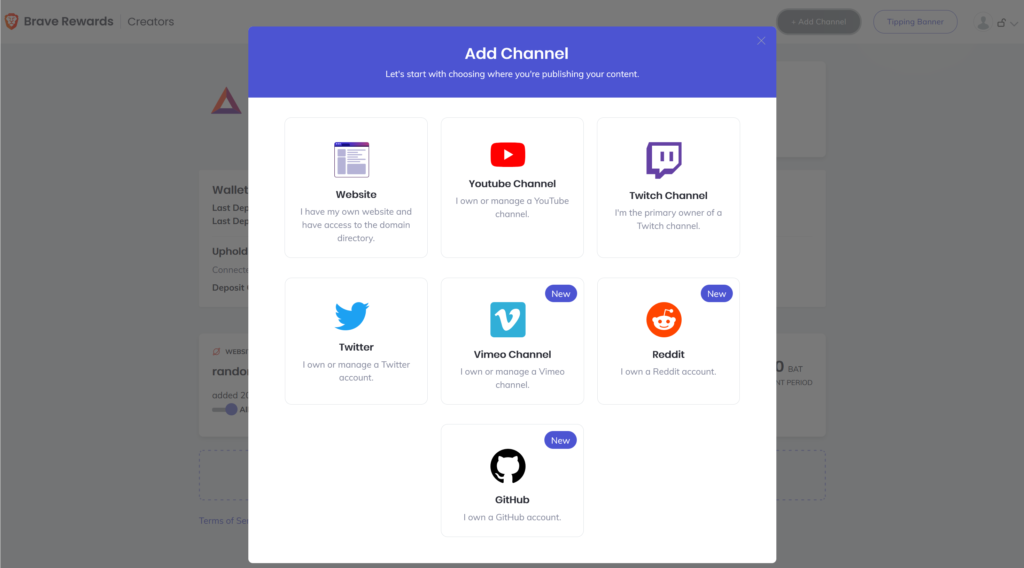
If you are a content creator, you can add your account for more earnings from your contents (Blogs, YouTube Channel etc) by selecting Add Channel. The available will appear in a pop-up.
Options for Content Creators
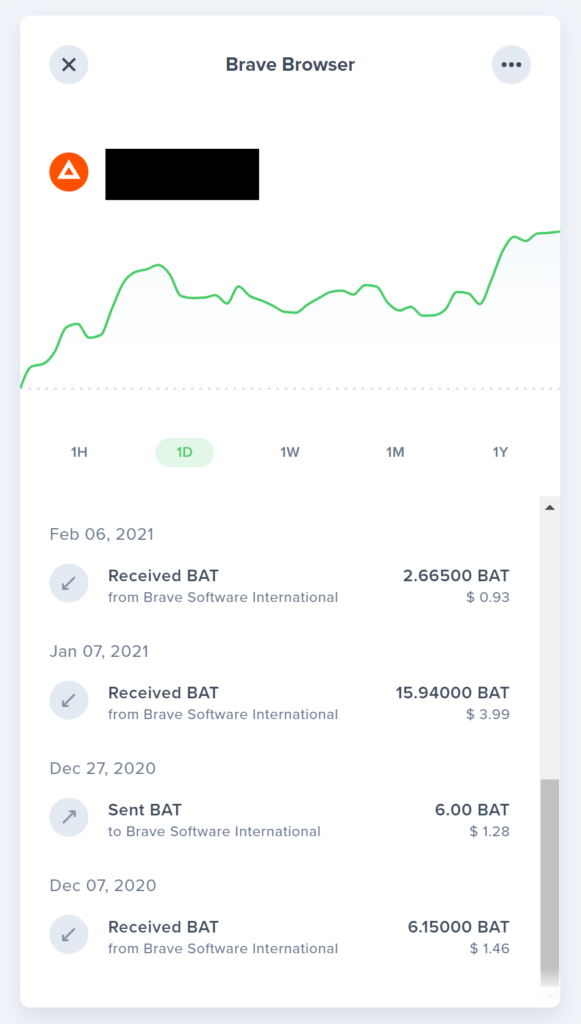
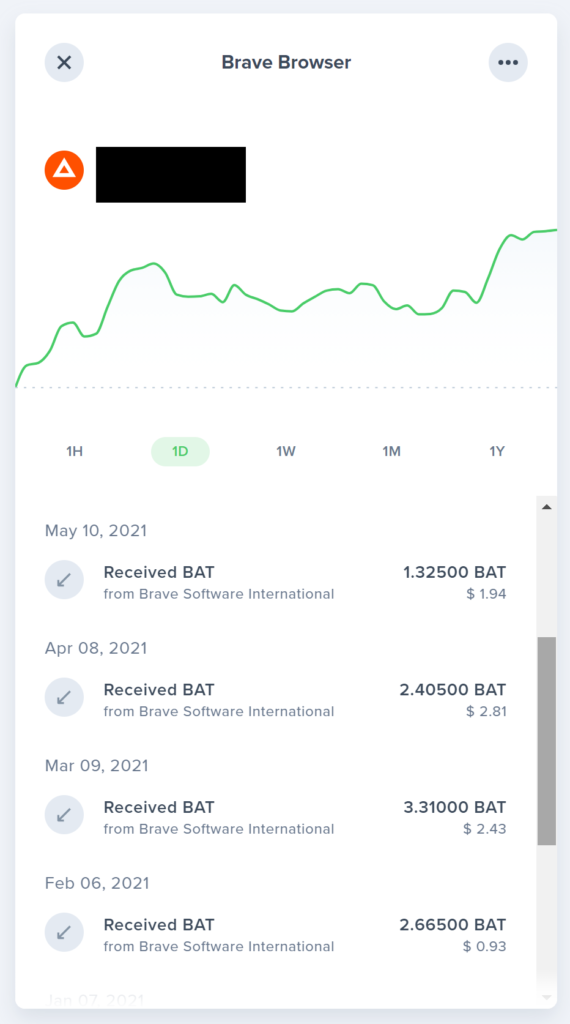
Below is the screenshot of the BAT transfer to my Uphold account received so far. Note that amount varies because it depends on my usage of the Brave Browser while browsing the Internet. I set my coin to BAT but you can change that under your Brave account. The good thing about Brave browser is that you earn passively by just using the browser. If your work requires to be online most of the time, then this may be a good option.
BAT received from Brave Software International into my Uphold account
2. Block Reward
Blockreward is a site where you can earn points for completing tasks. Points are given out in amounts of ‘b’ (I believe it means bots but I couldn’t find information to confirm that). The tasks include completing Questionnaires, downloading game apps, watching videos, shopping online etc.
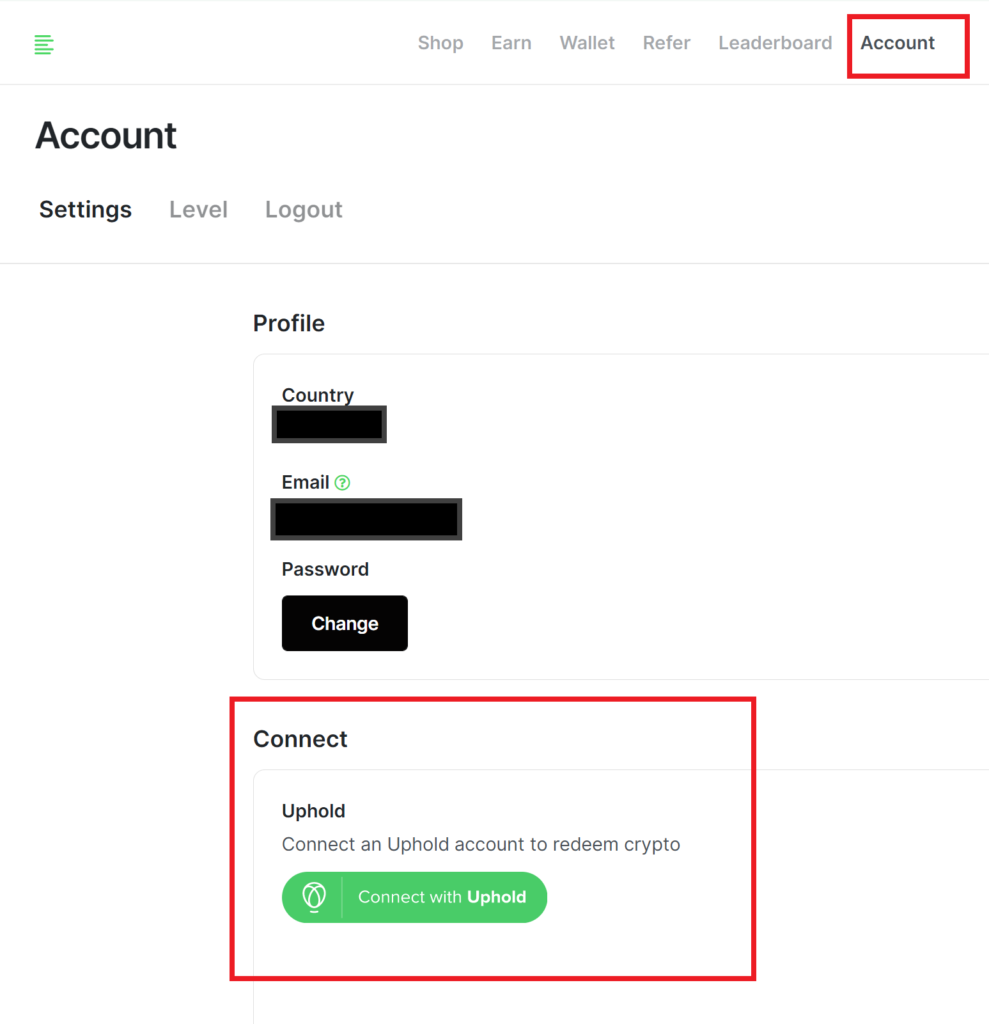
You can create your account at Blockreward. If you use the referral link, we will both get 100 b for your first 100 b earned (win-win situation). After creating the account, go to Account (below in red rectangle) and link to your Uphold account in similar manner for Brave Browser.
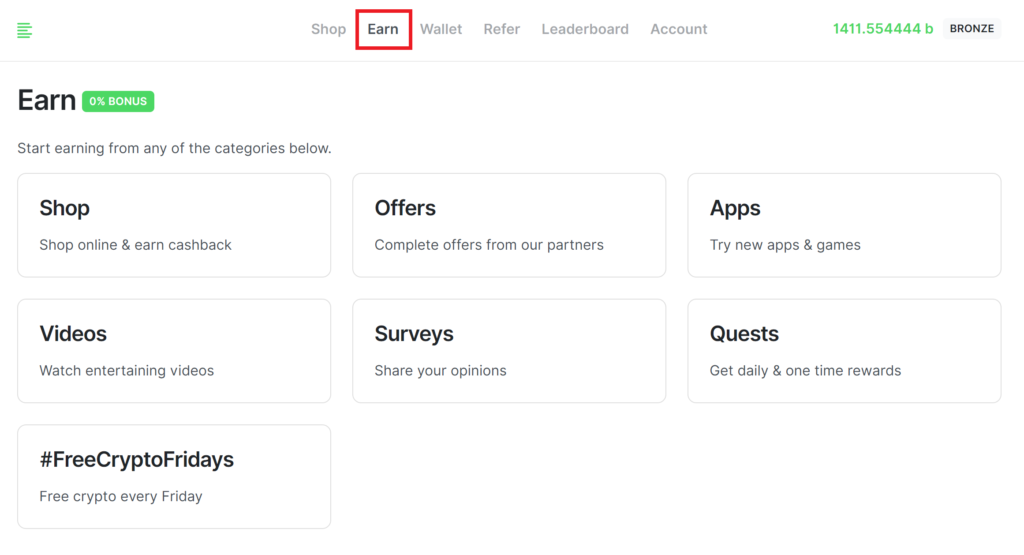
Under the option Earn (below in red rectangle), you will find the options to earn the points. You can earn points by playing games (it includes completing certain levels within a given time but I’m not big on games, so I try to avoid them), watching videos (I have tried this but had issues with it). If you are into online shopping, they have options to redeem points from affiliate partner (Note that I have not shopped through those merchants, so I cannot give further comments on that). I usually participate in the surveys to earn points, when I have time.
They also give away free points on Fridays (#FreeCryptoFridays). So join their Twitter or Telegram and look out for the code to redeem every Friday.
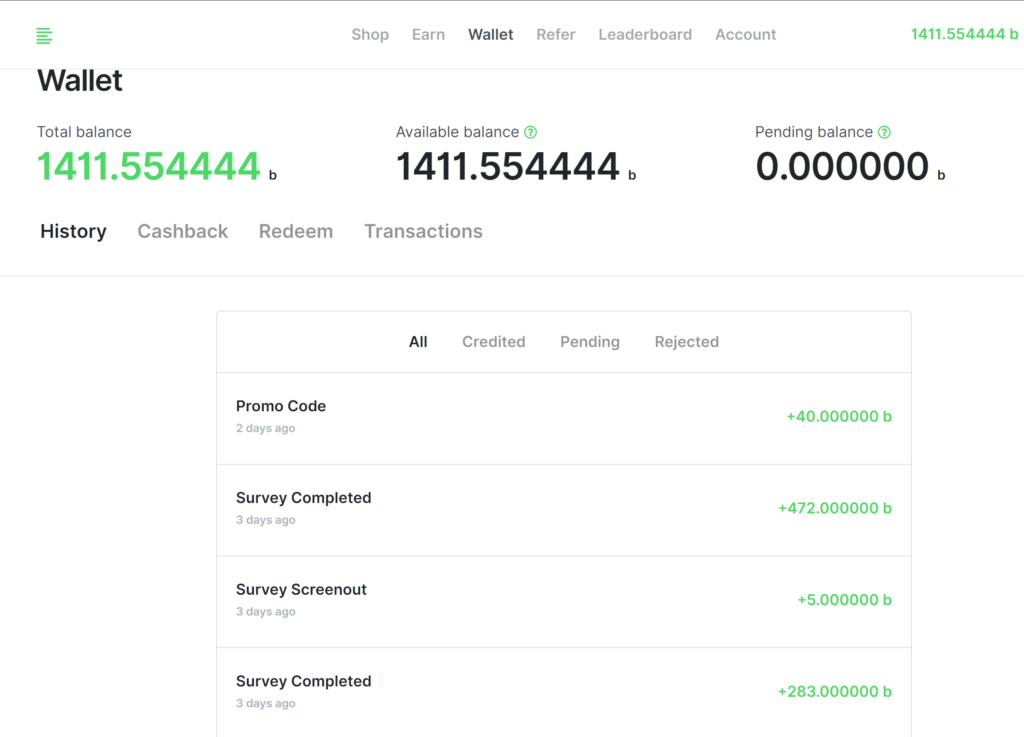
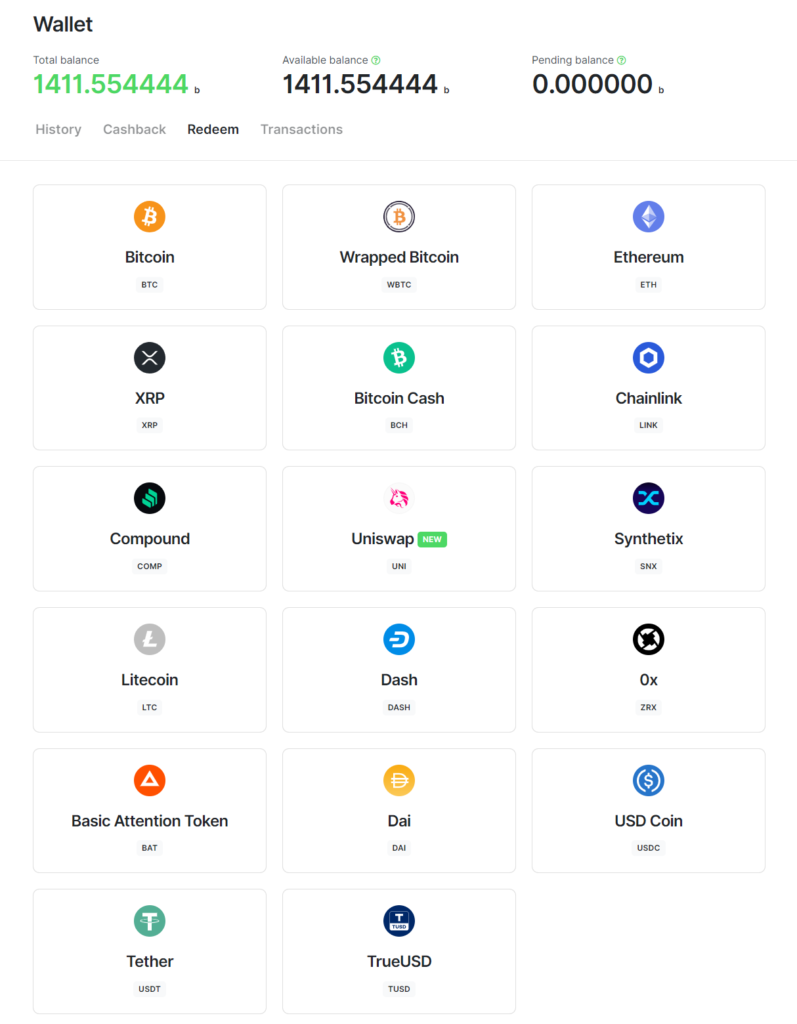
Below are screenshots of my points earned recently (below left). You can exchange your points for coins by redeeming them from the coins available for exchange (below right).
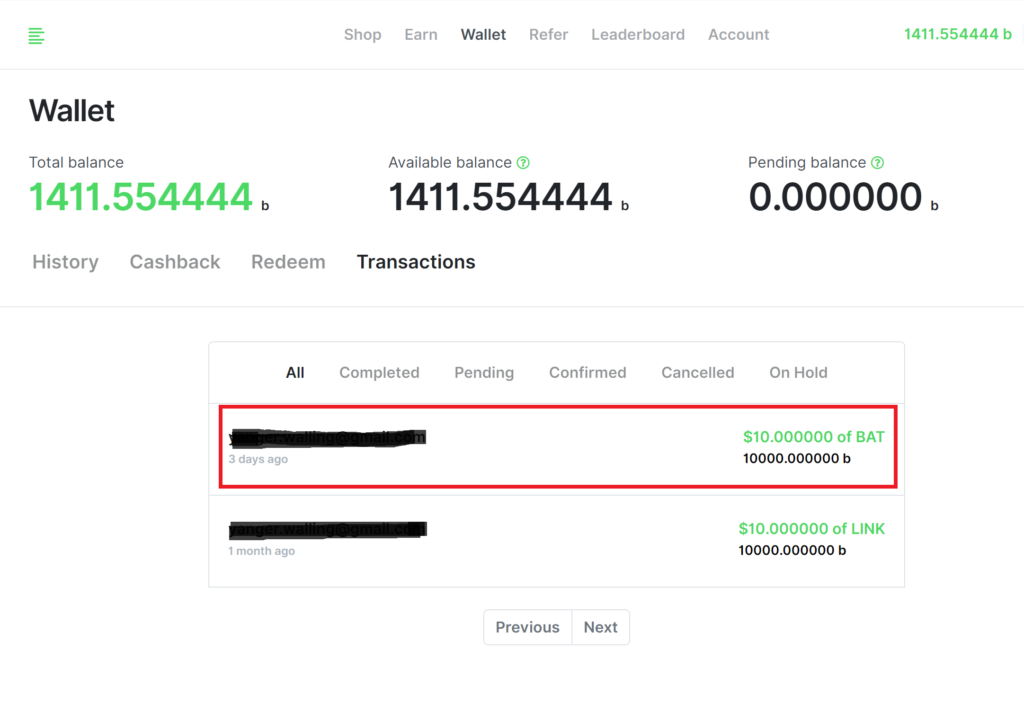
I converted my 10,000b, worth $10 USD, to BAT (below left) and the same is reflected in my Uphold account (below right). At the time of the exchange, I received 16.11204 BAT for $10 USD (12 June 2021).
3. Transfer among Crypto Wallets
In case, you already have an existing account in other wallets (e.g. Coinhako or Coinbase etc.), then you can transfer the coins from Uphold to your existing wallet. Since I use Coinhako, I will show how transfer from Uphold to Coinhako is done – the process should be similar for other wallets too.
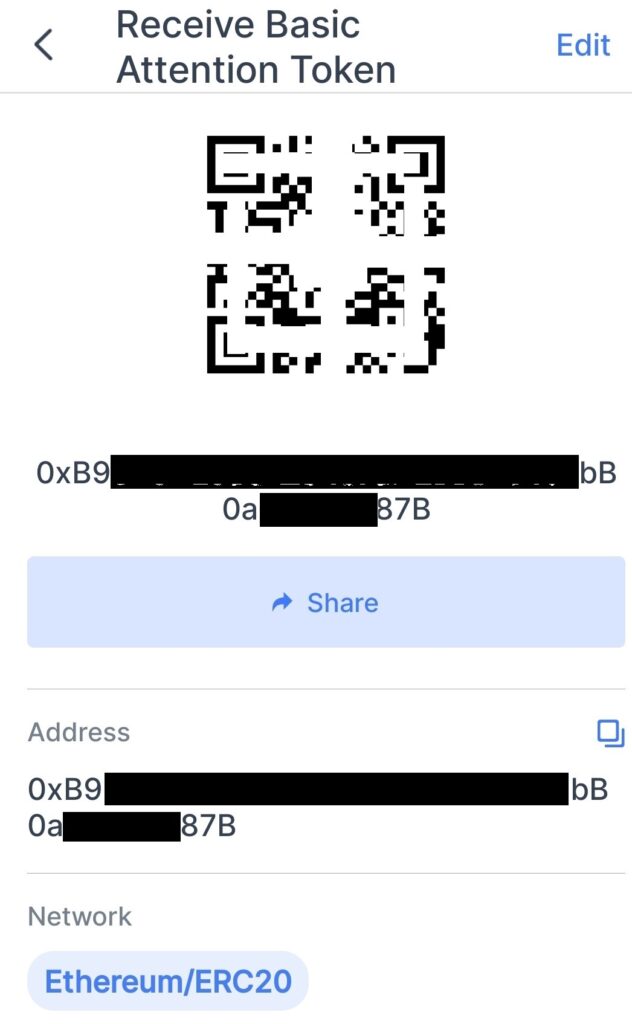
Under Coinhako, you select the coin (in this case, BAT) you would like to receive from Uphold. Under Receive BAT (below left in red rectangle), it will show the unique QR code or unique Alphanumeric code (below right). This is the unique address of yours where the Cryptocoins will be transferred.
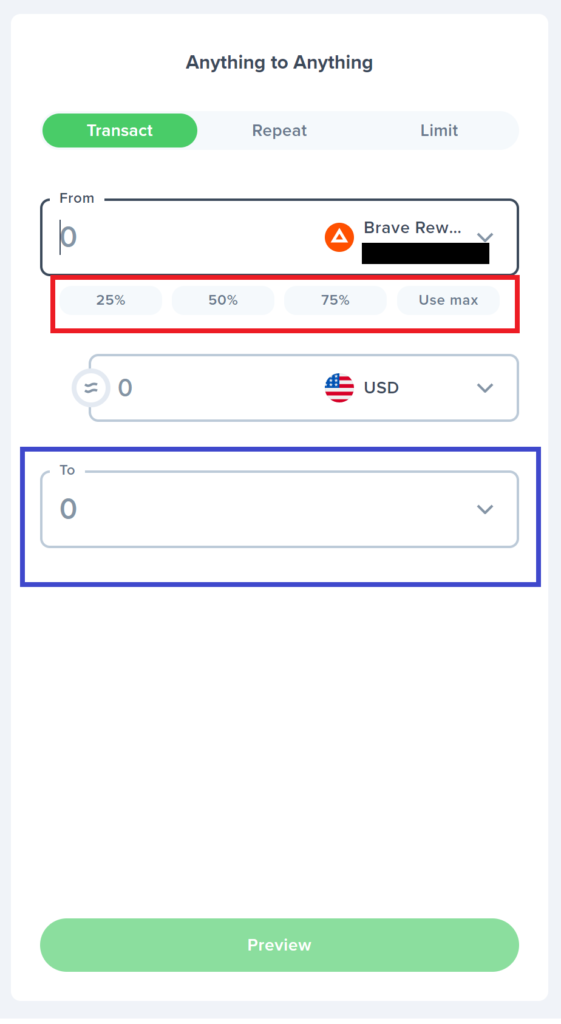
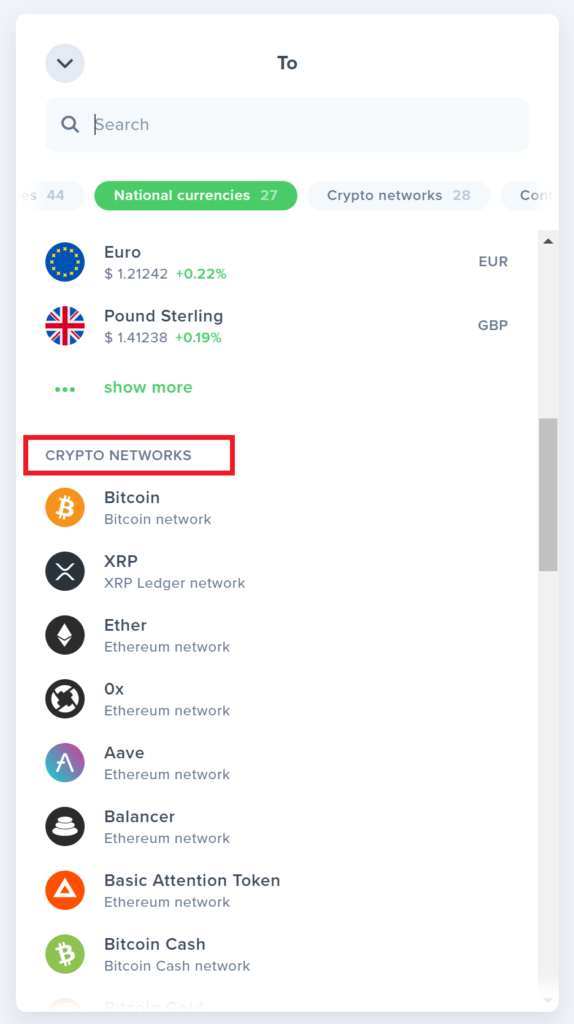
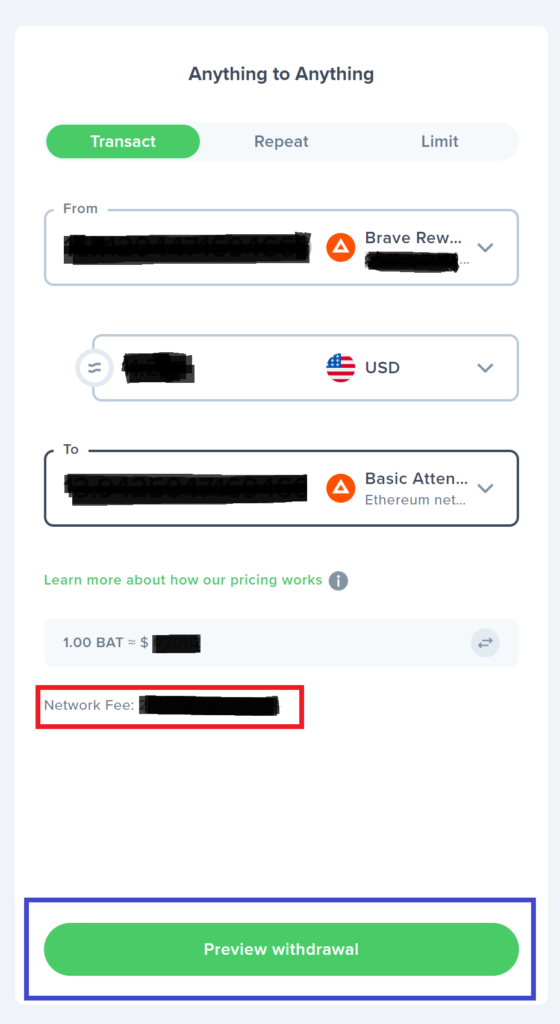
After logging into your Uphold Account, go to Transact section and select the BAT coin that you want to transfer. You have options to transfer 25%, 50%, 75% and 100% of your coin (below left in red rectangle) and select accordingly. Highlight in blue rectangle (left below) is the option to receive coin in your Coinhako. Under the options of drop list of Crypto Networks (below middle), select BAT (because the unique Alphanumeric code in Coinhako is for BAT). Note that there is a Network Fee for the transfer (below right in red rectangle). To assign the address to which the BAT coin is to be send, select the Preview Withdrawal (below right in blue rectangle).
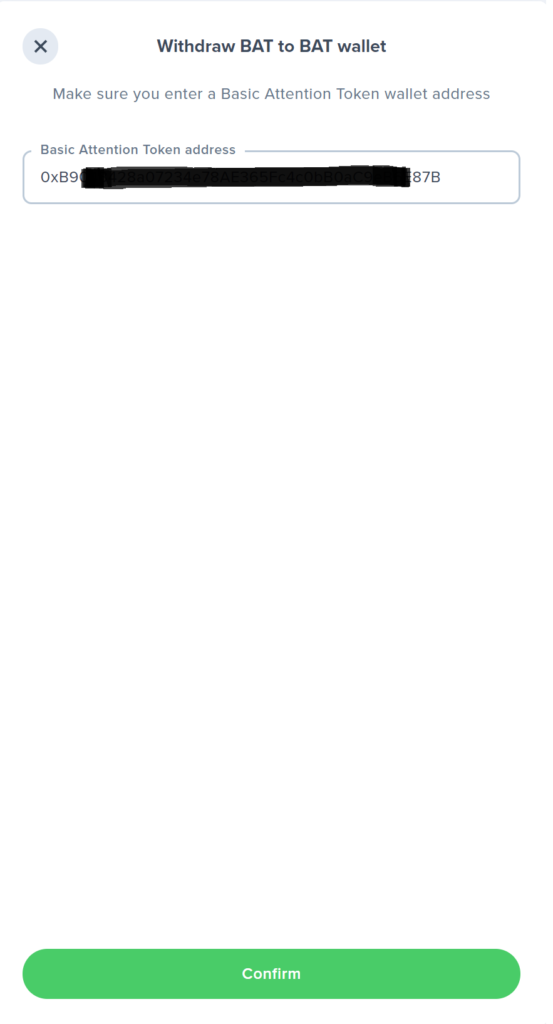
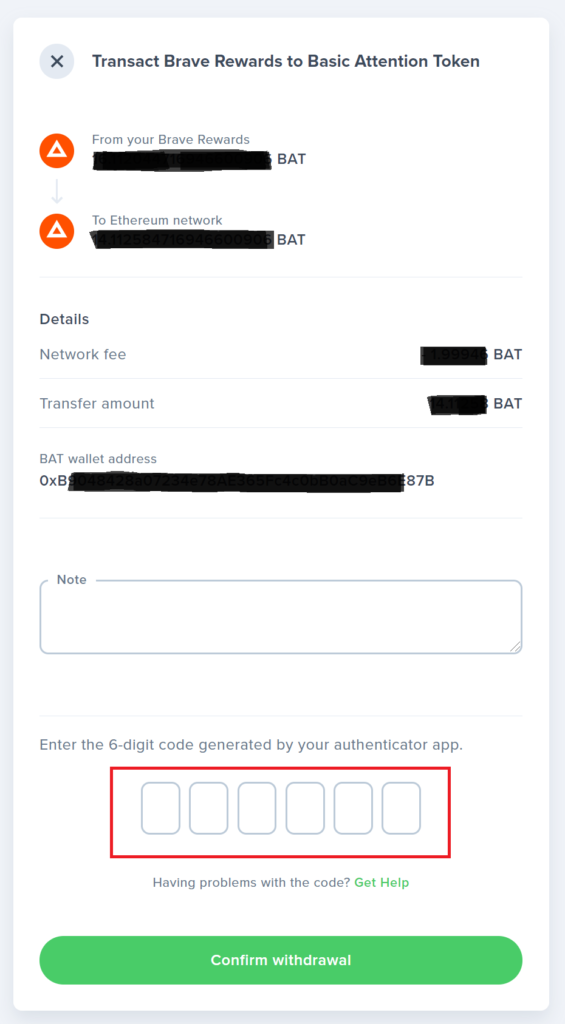
Under the space for the address, paste the unique Alphanumeric code copied from Coinhako (below left). Your address will direct the BAT from Uphold to Coinhako account. After confirming, you will be further required to enter the 6-digit code from your Authenticator app (below middle in red rectangle), if you have set that up earlier to confirm your withdrawal. The details of the transaction with the BAT transferred and Transfer Fee is shown below right (red rectangle) for reference.
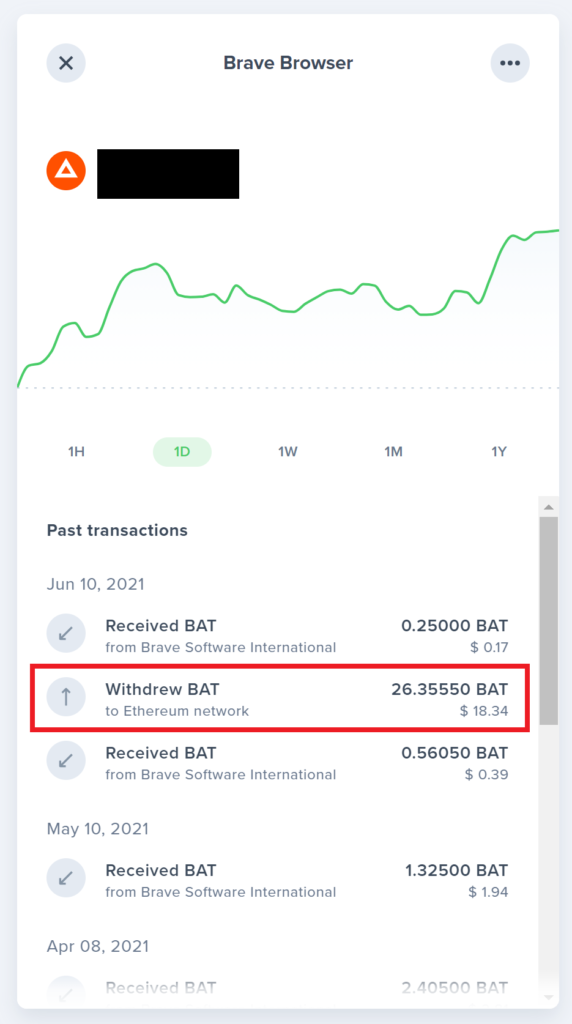
After the transfer, you can view the transaction reflected in Uphold account (below left in red rectangle) and the same reflected in Coinhako account after the Network Fee deducted (right bottom). I was surprised that it took less than a minute for the whole transaction (refer to the time stamps).
Hope the stepwise procedures with the screenshots, though tedious for me, is self-explanatory and helpful to you.
The transactions from my account is to show that the earnings are authentic. Wherever I may benefit through referral(s), I have disclosed that but you should have no obligations to use that.
Enjoy earning your Free Cryptocurrencies!
(If you are not interested in Crytocurrencies, you can still Earn Money Online and Get Active and Earn Money)